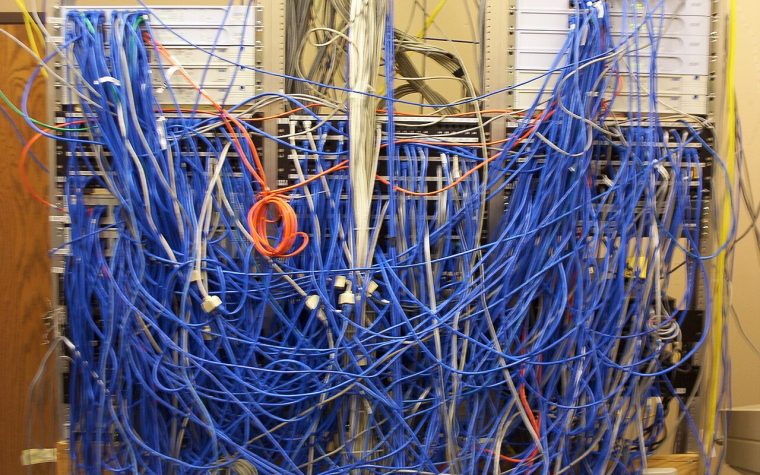
In many small businesses, the firewall was configured once during installation, then left alone while the business grew around it. New rules were added in a hurry, nobody removed the old ones, the firmware is a few versions behind and the admin page is still reachable from places it should not be. None of this is unusual, and all of it is fixable. This vendor-neutral firewall hardening checklist walks you through the controls that matter most: preparation, the management plane, rule-base hygiene, inbound and outbound policy, VPN, segmentation, zero trust principles, logging and lifecycle. It applies whether you run a small appliance or a pair of enterprise next-generation firewalls.
Before you start: inventory, backup and baseline
Hardening a firewall you do not fully understand is how outages happen. Spend the first hour on preparation:
- Back up the current configuration and store it off the device. Confirm you know how to restore it.
- Record the hardware model, firmware version and licenses, including when support and security subscriptions expire.
- Inventory interfaces and zones: which networks sit behind which interface, and which are trusted, untrusted or somewhere in between.
- Export the rule base with hit counts so you can see which rules are actually used.
- List every published service: port forwards, VPN portals, and anything the internet can reach.
- Agree on a maintenance window and a rollback plan with the business.
Write the results down. A current diagram and a rule inventory make every later step faster and are the foundation of the practices in the network documentation guide.
Harden the management plane
The management plane is how administrators reach and configure the firewall. If an attacker controls it, every other control is irrelevant. Firewall and VPN management interfaces have been the target of many serious vulnerabilities, so treat this section as top priority.
- Disable management access from the internet on the WAN interface. If remote administration is required, reach the firewall through a VPN first.
- Restrict management to a dedicated management network or a short list of administrator IP addresses.
- Use encrypted protocols only: HTTPS (TCP 443) and SSH (TCP 22). Disable HTTP, Telnet (TCP 23) and any legacy management protocols.
- Change or disable default accounts, and rename the default administrator account where the platform allows it.
- Use individual named accounts for every administrator, never a shared login, so actions are traceable.
- Enable multi-factor authentication for administrative access, ideally through central authentication with RADIUS or TACACS+ tied to your directory.
- Apply role-based access control: read-only accounts for monitoring and help desk staff, full rights only for those who need them.
- Keep one local break-glass account with a long random password stored in a password vault, for when central authentication is unavailable.
- Set idle session timeouts and login lockout after repeated failures.
- Replace the self-signed management certificate with one from your internal or public CA so administrators are not trained to click through warnings.
- Use SNMPv3 with authentication and encryption, or disable SNMP. Remove default SNMPv1 and v2c communities such as “public.”
- Configure NTP from reliable sources so logs and certificates work correctly.
- Disable unused services on the firewall itself, such as UPnP, unused DHCP or DNS services, and unused remote access portals.
Rule-base hygiene
A firewall is only as good as its rule base. Over the years, rule bases collect “temporary” rules that became permanent, overly broad rules created to make something work quickly, and duplicates nobody dares to remove. Cleaning this up has a real security payoff and makes troubleshooting much easier.
Principles
- Default deny. Anything not explicitly allowed is blocked. End each policy with an explicit deny rule that logs, so you can see what is being blocked.
- Least privilege. Each rule allows only the specific source, destination and service required. Avoid “any” in more than one field of a rule, and never use any-to-any-allow.
- Specific rules above general rules. Firewalls evaluate rules top-down and stop at the first match, so order matters.
- Every rule has an owner and a reason. Use the description or comment field for the business purpose, the requester, a ticket number and the date.
- Temporary rules expire. Use scheduled rules or calendar reminders, and review them on the date.
Cleanup tasks
| Finding | What it means | Action |
|---|---|---|
| Zero hit count over a long period | The rule may be unused | Confirm with the owner, disable, monitor, then remove |
| Shadowed rule | A rule above it already matches all its traffic, so it never matches | Remove it or reorder if the intent was different |
| Redundant rule | Duplicates the effect of another rule | Consolidate into one |
| Overly broad rule | “Any” source, destination or service where a narrower scope works | Use logs to see what actually matches and narrow it |
| No description or owner | Nobody knows why it exists | Investigate, document or retire |
| Rules referencing old hosts | Objects point at decommissioned servers or IPs | Remove rules and objects; reused IPs can grant unintended access |
Use named objects and groups rather than raw IP addresses. A rule that allows “ACCOUNTING-USERS” to “FILE-SERVERS” on “SMB” is easier to review than a list of addresses and port numbers, and changes become safer.
Inbound exposure, remote access and egress filtering
Reduce inbound exposure
Every service reachable from the internet is attack surface. Go through each published service and ask whether it truly needs to be public.
- Never expose Remote Desktop (TCP 3389), SMB (TCP 445) or database ports directly to the internet. Put remote access behind a VPN with MFA or a zero trust access service.
- Publish only what is required, to the specific internal host and port, and prefer hosting public services in a DMZ or with a hosting provider rather than on the internal network.
- Restrict source addresses where possible. If only a partner’s network needs access, allow only that range.
- Use geo-blocking with care. It reduces noise but is easily bypassed, so treat it as an extra layer, not a control you rely on.
- Remember IPv6. If your firewall and ISP provide IPv6, apply equivalent inbound policy. A strict IPv4 policy with a permissive IPv6 policy is a common gap. The IPv6 for network admins guide covers what to allow, including the ICMPv6 types IPv6 needs to work.
Verify from the outside. A scan of your public address from an external host shows what the internet sees, which is often different from what you think you configured:
# Run only against addresses you own and are authorized to test
nmap -Pn -sS -p- --open 203.0.113.10
nmap -Pn -sU --top-ports 50 203.0.113.10
Harden VPN and remote access
Remote access gateways are among the most attacked devices on any network. Harden them deliberately:
- Require MFA for every remote user, without exceptions for executives or service accounts.
- Use modern cryptography. For IPsec, prefer IKEv2 with AES-GCM, SHA-256 or stronger, and Diffie-Hellman groups 19, 20 or 21 (or at least group 14). Disable IKEv1 aggressive mode, DES, 3DES, MD5 and DH groups 1, 2 and 5.
- Limit what VPN users reach. Apply firewall policy to VPN traffic by user or group instead of giving every remote user access to the entire internal network.
- Patch quickly. VPN appliance vulnerabilities are often exploited within days of disclosure. Track the CISA Known Exploited Vulnerabilities catalog and your vendor’s advisories.
- Disable unused portals, such as a legacy web VPN you replaced years ago.
- Review accounts: remove VPN access for leavers on the same day, and audit regularly.
Filter outbound traffic
Many small business firewalls allow all outbound traffic. That makes life easy for malware, which needs to reach command-and-control servers and move data out. You do not need a perfect allow list on day one; start with high-value restrictions:
- DNS: allow UDP and TCP 53 outbound only from your internal resolvers or DNS filtering service. Consider blocking DNS over TLS (TCP 853) from clients, and use your platform’s options for managing DNS over HTTPS if you rely on DNS filtering.
- SMTP: allow TCP 25 outbound only from your mail server or relay, if you have one. Workstations should never send mail directly.
- SMB and NetBIOS: block TCP 445 and TCP/UDP 137 to 139 to the internet.
- NTP: allow UDP 123 to your chosen time sources.
- Servers: restrict servers to only the outbound destinations they need, such as update services. Servers browsing the internet freely is a red flag.
Segmentation and zero trust principles
A flat network, where every device can talk to every other device, lets one compromised laptop reach your servers, printers, cameras and backups. Segmentation limits that blast radius. In a small business, segmentation usually means VLANs, each mapped to a firewall zone or interface, with policy between them. The VLANs explained guide covers the switching side.
| Segment | Contains | Typical policy |
|---|---|---|
| Users | Staff laptops and desktops | Internet access; specific server ports only |
| Servers | File, application and directory servers | Reachable from users on required ports only; limited outbound |
| Management | Switch, firewall, AP and hypervisor management interfaces | Reachable only from admin workstations or a jump host |
| Voice | IP phones | Call control and media to the PBX or cloud provider |
| IoT and building systems | Cameras, printers, sensors, door controllers | No access to users or servers; only required cloud or controller destinations |
| Guest | Visitor devices | Internet only; no internal access at all |
| Backup | Backup servers and storage | Tightly restricted; ideally pulled from, not pushed to |
Applying zero trust principles
Zero trust, as described in NIST SP 800-207, is not a product you buy. It is a set of principles you can apply incrementally, even in a small network:
- Never trust based on location. Being on the internal network or VPN should not grant broad access by itself.
- Verify explicitly. Base access on user identity, device health and context, using identity-aware firewall rules or access proxies where available.
- Use least privilege. Grant access to specific applications, not entire subnets.
- Assume breach. Design segmentation and logging so a compromised device is contained and detected quickly.
Security services and inspection
Next-generation firewalls offer intrusion prevention, application control, URL and DNS filtering, malware scanning and TLS inspection. They add real value when they are licensed, updated and tuned:
- Keep subscriptions active. An IPS with expired signatures provides little protection while giving a false sense of security.
- Apply IPS to the traffic that matters most: inbound published services, traffic between users and servers, and outbound user traffic.
- Use DNS or URL filtering to block known malicious and newly registered domains. It is one of the most cost-effective controls available.
- Plan TLS inspection carefully. It increases visibility but requires certificate deployment, exceptions for sensitive categories such as banking and healthcare, and consideration of privacy obligations and performance.
Logging, monitoring and alerting
Logs you never read do not protect you, but logs you do not keep make incidents impossible to investigate. Aim for both:
- Log denied traffic, allowed traffic on sensitive rules, VPN authentication, admin logins and every configuration change.
- Send logs off the device to a syslog server or SIEM. Traditional syslog uses UDP 514; prefer TCP or syslog over TLS (TCP 6514) for reliability and confidentiality where supported.
- Synchronize time with NTP so events correlate across devices.
- Define retention that meets your investigative and regulatory needs.
- Alert on high-value events: configuration changes, admin logins from unusual sources, repeated VPN failures, IPS critical events and high-availability failovers.
- Monitor health: CPU, memory, session counts, interface errors and license expiry.
The Network Monitoring 101 guide explains how to build syslog, SNMP and alerting into a practical monitoring stack, and logs are the first place you will look when you apply the structured troubleshooting methodology to a blocked application.
Firmware, lifecycle and change management
- Patch on a schedule and out of band for critical, actively exploited vulnerabilities.
- Track end-of-life dates. A firewall that no longer receives security updates should be replaced, not tolerated.
- Use high availability where downtime is costly, and test failover periodically.
- Back up configurations automatically after every change, and store copies securely off the device.
- Use change control: describe the change, the reason, the rollback and the verification, even if the approver is only one other person.
- Audit annually against this checklist or a framework such as the CIS Benchmarks or NIST SP 800-41.
The checklist at a glance
Use this summary to plan the work. Priorities assume a typical small business; adjust them to your own risk and compliance requirements. Tackle the high-priority items first, since they close the paths attackers use most often, then schedule the rest as a project rather than squeezing it into a single evening.
| Area | Control | Priority |
|---|---|---|
| Preparation | Configuration backup, firmware and license inventory, rule export with hit counts | High |
| Management plane | No management from the internet; HTTPS and SSH only; restricted admin sources | High |
| Management plane | Named accounts, MFA, role-based access, break-glass account in a vault | High |
| Inbound | No published RDP, SMB or database ports; external scan matches intent | High |
| Remote access | MFA for every VPN user, modern IKEv2 cryptography, prompt patching | High |
| Rule base | Default deny with logging; no any-to-any rules; owner and reason on every rule | High |
| Egress | DNS only via approved resolvers; SMTP only from the mail relay; outbound SMB blocked | Medium |
| Segmentation | Guest and IoT isolated, then management, then servers | Medium |
| Logging | Off-box syslog, NTP, alerts on config changes and admin logins | Medium |
| Security services | Active subscriptions, IPS on key flows, DNS filtering | Medium |
| Rule base | Quarterly review of unused, shadowed and expired rules | Ongoing |
| Lifecycle | Patch schedule, end-of-life tracking, tested HA failover, annual audit | Ongoing |
Key takeaways
- Prepare first: back up, inventory and export rule hit counts before you change anything.
- Lock down the management plane: no internet management, MFA, named accounts, encrypted protocols only.
- Keep a clean, documented, least-privilege rule base with default deny and logged denies.
- Minimize inbound exposure, never publish RDP or SMB, and add egress filtering for DNS, SMTP and SMB.
- Segment users, servers, management, IoT and guests, and apply zero trust principles incrementally.
- Centralize logs with accurate time, alert on what matters, and keep firmware and subscriptions current.
Hardening a production firewall without breaking the business takes care and experience. The Firewall & Security Hardening service reviews your configuration against this checklist and implements the fixes safely, and the Small Business Network Setup service builds a segmented, secure network from the ground up. Have questions about your environment? Contact us.